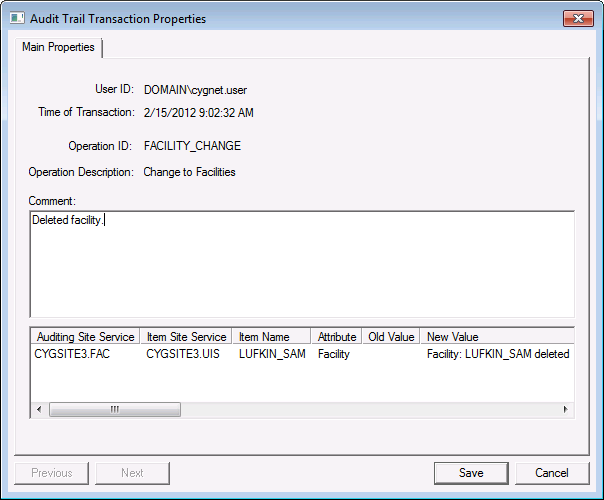
The Audit Service pane in CygNet Explorer lists audit records. Audit records properties are displayed in the resizable Audit Trail Transaction Properties dialog box and cannot be altered aside from editing comments.
You must have permission to edit audit records in order to add or change comments. Comments may be changed or removed by opening the Audit Transaction Trail Properties dialog box again and making edits. Updating the comment for one record will also affect other transactions that are grouped with the record (if any), that is, the other records listed in the properties dialog box.
To Filter Records
To View Record Properties
Among the properties shown are the item IDs (including Super Item IDs) and the old and new values of the attribute, if applicable. All transactions considered to be part of the same action are listed.
To Add a Comment to a Record

|
|
|

